Gentle Refresh
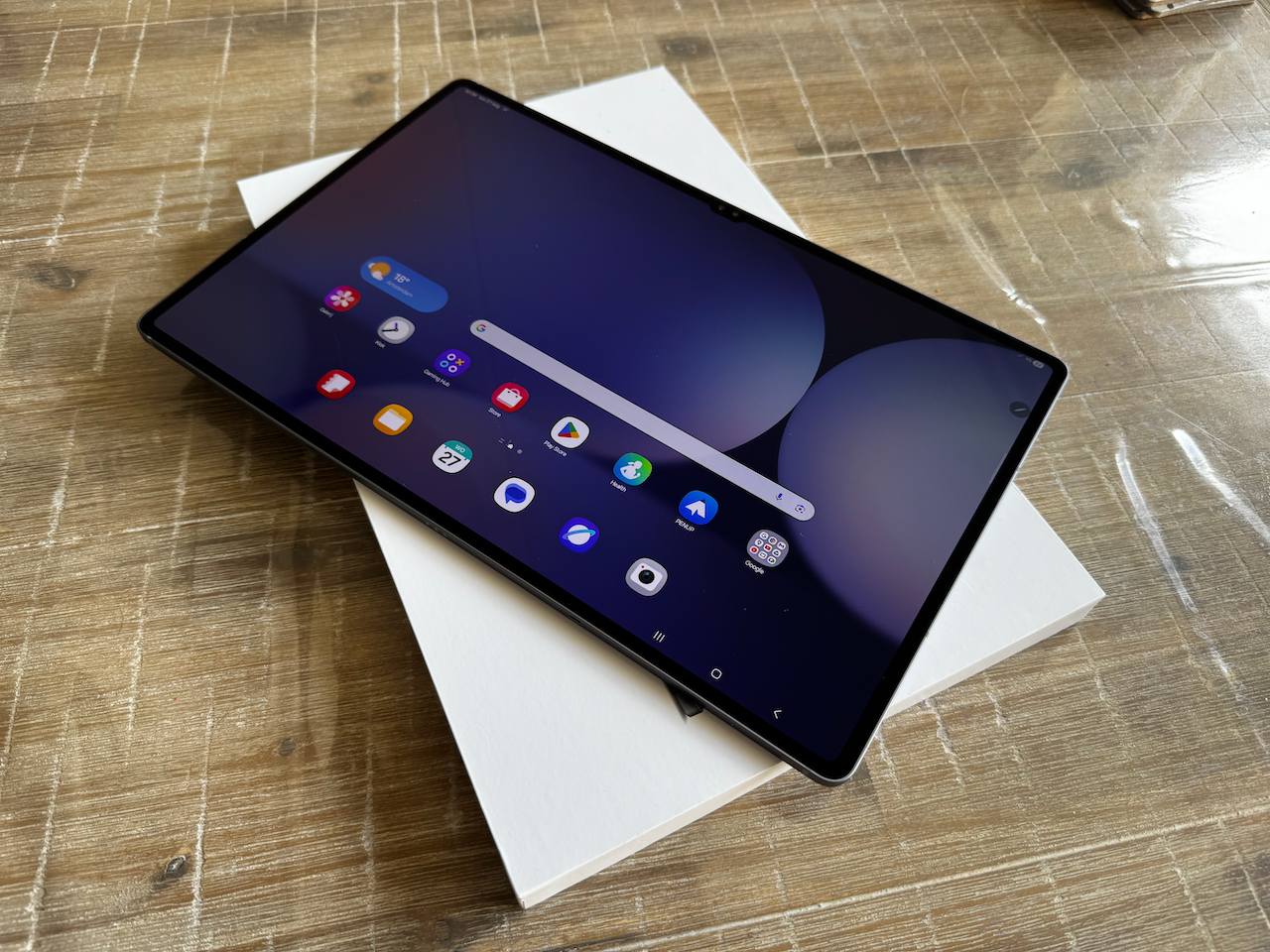
While the Tab S10 Ultra is almost 1 year here and the Tab S11 Ultra is around the corner, I believe this model is still current and very interesting. With the coming arrival of the S11, the price point may become interesting the upcoming weeks/months. And that is exactly the main pain point of this tablet, the price.
One major difference between the previous models and the S10 is the anti glare coating on the screen, that is really amazing. But what happens if you install a (regular/cheap) screen protector? Indeed, the anti-glare coating will not work anymore.
So if you are into screen protectors for your device (I would recommend) the unique selling point of this tablet will be obsolete after installing one.
The price while writing this article is at Samsung for the entry level model (256GB Storage), € 939,- while other shops deliver the same Tablet for around € 889,-
It is likely when the S11 arrives, the prices will drop further.
Furthermore in this review:
Specs
As seen in the following table, there are just a few items which have changed since the previous mode:
- Chipset (which involves overall improvement over the previous models)
- Screen with anti reflective coating
- Slightly better water resistant
| Feature | Galaxy Tab S8 Ultra (2022) | Galaxy Tab S9 Ultra (2023) | Galaxy Tab S10 Ultra (2024) |
|---|---|---|---|
| Chipset | Snapdragon 8 Gen 1 (Adreno 730) | Snapdragon 8 Gen 2 (Adreno 740) | MediaTek Dimensity 9300+ (Immortalis-G720 GPU) |
| RAM / Storage | 8-16 GB RAM, up to 512 GB (microSD up to 1 TB) | Up to 16 GB RAM, up to 1 TB (microSD supported) | Up to 16 GB RAM, up to 1 TB internal storage (microSD supported) |
| Display | 14.6″ Super AMOLED, 120 Hz, 1848 × 2960 px | 14.6″ Dynamic AMOLED 2X, 120 Hz, HDR10+, 1848 × 2960 px | 14.6″ Dynamic AMOLED 2X with anti-reflective coating, 120 Hz, 1848 × 2960 px |
| Battery & Charging | 11,200 mAh, 45 W | 11,200 mAh, 45 W | 11,200 mAh, 45 W |
| Cameras | Rear: 13 MP + 6 MP ultrawide; Front: dual 12 MP | Rear: 13 MP + 8 MP ultrawide; Front: dual 12 MP | Rear: 13 MP + 8 MP ultrawide Front: dual 12MP |
| Water Resistance & Protection | No IP rating — Gorilla Glass 5 | IP68-rated (submersible), Gorilla Glass | IP68-rated, improved build |
| Performance (Geekbench & GPU) | Snapdragon 8 Gen 1 baseline (no exact scores here) | Geekbench: single-core ~2066, multi-core ~5414; GPU: Vulkan ~9504, OpenCL ~9553 | Geekbench: single-core ~2188, multi-core ~7272; GPU: Vulkan ~14681 (+35%), OpenCL ~12681 (+25%) |
Geekbench / Performance
The performance is great, if you compare it to other high end tablets it’s more than OK, but… there are cheaper and faster tablets on the market!
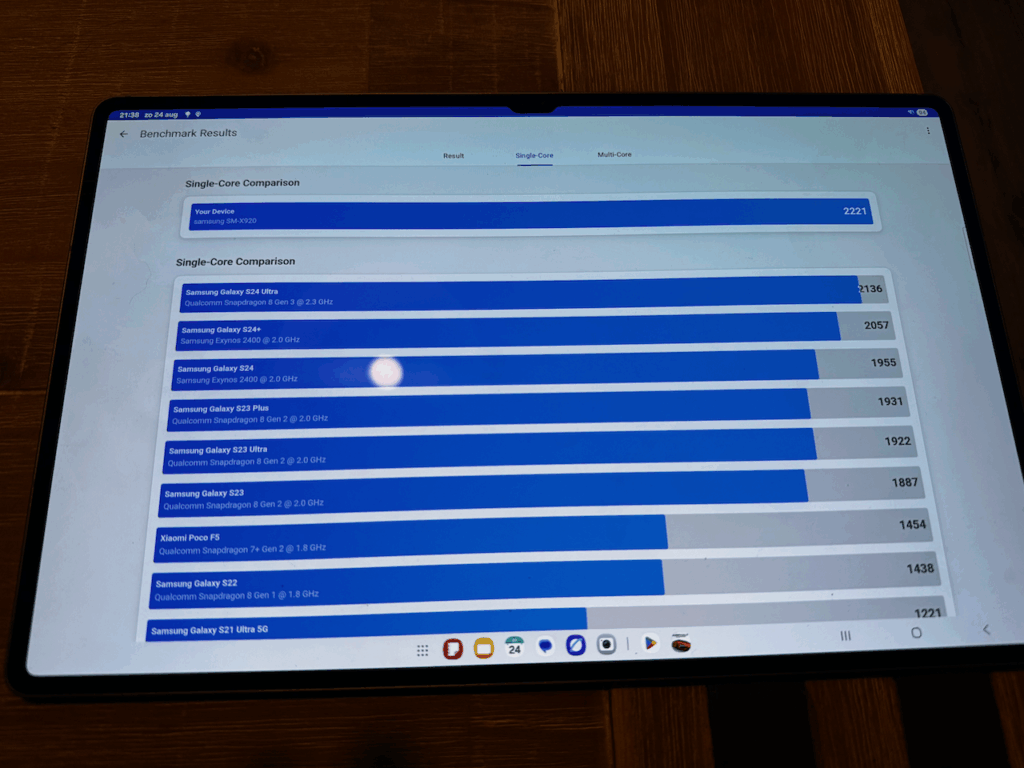
Single Core Score : 2221
In the Single Score comparison, the Tab S10 Ultra is (a little bit) faster then the Galaxy S24 Ultra Phone
Multi Core Score : 7494
For Multi Core Comparison, the score is significantly better than the Galaxy S24 Ultra (keep in mind that for daily use, you won’t experience those differences very much)

Compute Score (GPU) : 12291
For gaming however, the score is significantly worse than the Phone’s competitor, but still, games run smooth in my experience

Screen
The screen is incredible, it’s a whopping 14.6 inch SUPER AMOLED display with HDR10+, but it’s the same screen as the previous generation Tab Ultra (S8, S9 and this model S10), so nothing new there except the anti-glare coating, which is awesome while tested.
Expansion
Expansion can be done by using accessories on the USB-C connector, or – and I like this one – expandable storage through microSD card, Phones don’t have it anymore, this tab does!
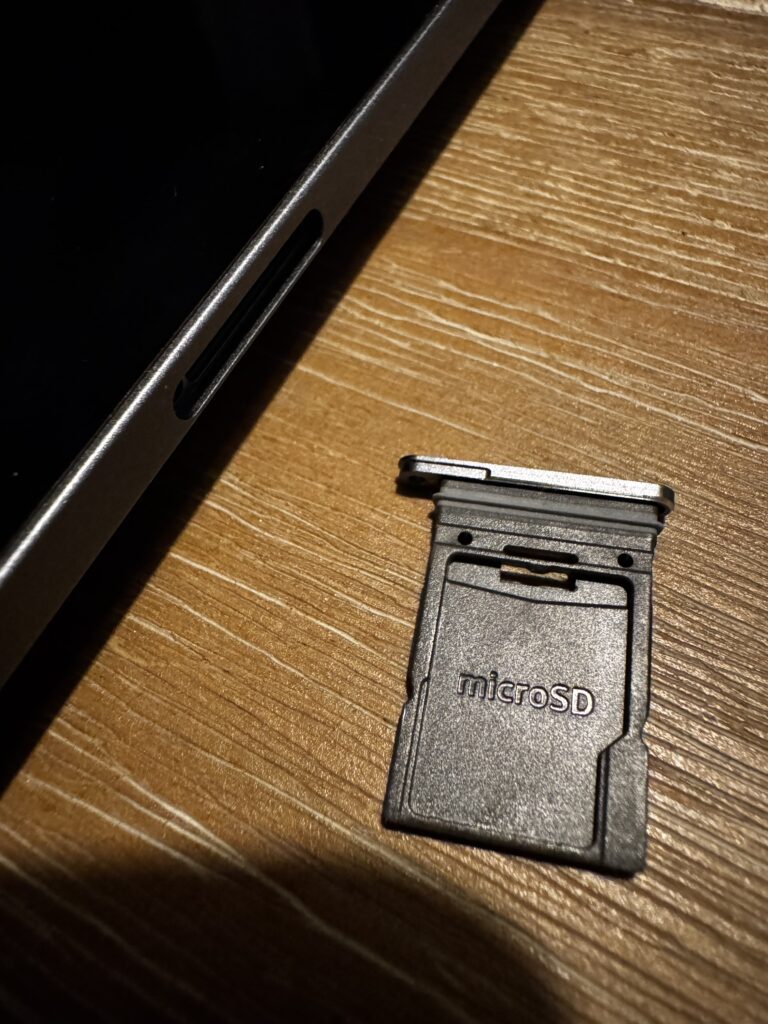
So expanding the memory for this device is an easy one! I am wondering if this feature is still available on the S11…
Camera’s
Camera’s camera’s… the Tab S10 Ultra has 2 camera’s on the back : 1 camera 13 MP, the other camera 8 MP.

On the front there are 2 12 MP camera’s:

The purpose of the camera’s: I usually don;’t take pictures in a museum or some other place with a freaking 14.6 inch display, so the usage of the rear camera’s are not my cup of tea. The camera’s in front are usable whenever you use the device for meetings, those work great and the quality is good enough for Teams Calls with camera
Charging
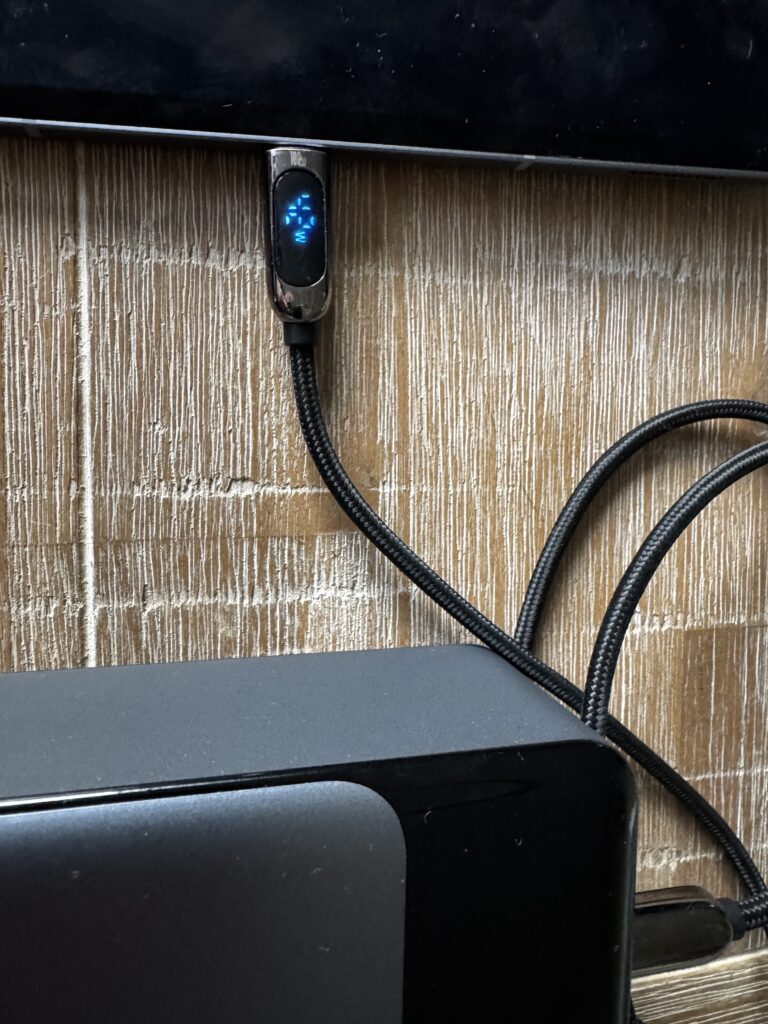
The Tab does support fast charging, while tested I charged up the device, up to 43 Watts, which is more than acceptable for such a device. But, you need to consider that it has a battery of 11.200 mAH which takes longer to fully charge. In comparison to a phone which has a much smaller battery, with this charging speed, a phone is much faster full. So if you’re expectation of charging nowadays is that fast charging maxes out your battery within one hour, that won’t happen.. but charging speeds of 60 minutes to 90 minutes from 10% to 80% is realistic. The specs for fast charging is 45 Watts, so while I charged it, it did it almost at max speed.
S-pen
There’s a pen attached, which is great, but I usually don’t use these tools, it looks handy but in reality, you will only use it for writing are drawing (you can also do some stuff for presenting, but I need to find the first person who really uses this).
For me it’s rather interesting because there are devices, like the Remarkable or Supernote which only work with a pen, but for those devices it’s a really different experience in using the pen.
One other feature
This feature is pretty standard on every phone, but the purpose on a tablet is for me a big question, it has a vibration motor in it, yes, it vibrates whenever you get a message. I don’t know, but I have no idea how I should put the tablet in my pocket and receive notifications by vibrating. For me this has no purpose, in matter affect, I would suggest to turn it off, because it’s rather annoying as it vibrates at every thing you do on the tablet.
Usability
The usability depends for a large factor on what you expect from a Tablet. In my experience it’s useful for reviewing photo’s, lightweight editing, entertainment purpose’s, watching movies / doing games. For real productivity, you need additional items like a keyboard / mouse and then the gap between the tablet and a laptop is very small, except that a laptop can do way more and (in most cases) a lot quicker too.
What I do like about this tablet that it can be used as a secondary screen for you’re laptop, yes there are plenty options for other Android Tablets which do not offer native secondary screen support, but this works out-of-the-box.
Conclusion.
To be honest, you can’t go wrong on this tablet, expect for the price tag and if you are a fan of screen protectors, the unique selling point for the anti-glare coating is not there anymore. There are other options which makes this tablet worth buying (screen ratio, CPU/GPU speed, general performance / smooth performance of the device, it’s incredible thin, to be used easy as a secondary screen for your laptop
Would I go for an older model? Let’s say the S8 or S9, or should I wait for the S11 or go buy the S10? Well, the S8 and S9 are (performance wise also) great devices, one thing to consider when buying a new tablet is the support the device, while Samsung supports 5 years of updates, when you buy an S8 now which is almost 3 years, you will receive 2 years more of updates and after that you might need to replace your device… when you buy the S10 now, it has still 5 years of updates left. According to Samsung it has support until October 2031